Contact Us

Transaction Reporting: Real-Time Financial Data at Your Fingertips

Reporting Capabilities at a Glance

TD Business Central transaction reporting delivers 47 configurable data fields, real-time settlement updates within 60 seconds, scheduled delivery to up to five recipients, and immutable audit trails retained for seven years. Reports export in CSV, BAI2, PDF and QBO formats. Filter by payment type, currency, date range, amount threshold and beneficiary. Reconciliation that once took half a day now finishes in minutes.

Your finance team needs data that is both current and comprehensive. TD Business Central transaction reporting pulls from every payment rail on the platform — wire transfers, EFT batches, bill payments, Interac e-Transfers and foreign exchange conversions — then presents it through a report builder that handles everything from a quick daily summary to a granular seven-year audit extract.

This is not a basic transaction list. Each report draws from 47 distinct data fields and supports multi-layer filtering. You choose the columns, the date range, the delivery schedule and the export format. The platform does the rest.

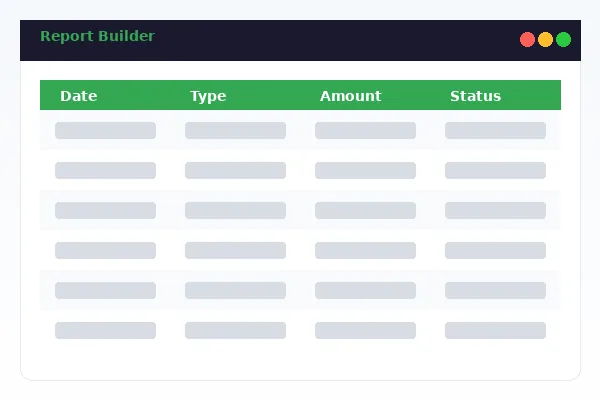
TD Business Central transaction reporting dashboard displaying real-time filtered report with 47 data fields and export options

Real-Time Reports That Reflect Your Current Position

TD Business Central transaction reports update within 60 seconds of settlement. When a wire clears at 2:14 PM, your report shows it by 2:15 PM.

Intraday reporting is not optional for treasury teams managing eight-figure daily flows. A stale report creates blind spots. TD Business Central eliminates that gap by pulling settlement data directly from the core banking engine rather than waiting for end-of-day batch processing.

The real-time feed covers all transaction types. Domestic wires, cross-border ACH, EFT credits and debits, Interac sends and receives, payroll disbursements — every movement appears in the report as soon as the bank confirms settlement. You do not need to refresh. The dashboard pushes updates automatically.

For organizations subject to OSFI regulatory oversight, real-time visibility is not a convenience. It is a compliance requirement. TD Business Central was built with that obligation in mind. Every data point is timestamped to the second, tagged with the originating user and linked to the authorizing approval chain.

Intraday Balance Integration

Transaction reports can be overlaid with intraday balance data, giving you a running view of how each payment affects your available funds. This is particularly valuable during high-volume payroll runs or quarterly tax remittance cycles where cash position changes by the hour.

47 Data Fields for Granular Analysis

Each transaction record in TD Business Central carries up to 47 data fields. Not every report needs all of them. The report builder lets you select exactly the columns relevant to your analysis. A quick AP reconciliation might use six fields. A year-end audit extract might use thirty-five.

Fields span the full transaction lifecycle: initiation date, value date, settlement date, originator account, beneficiary name, beneficiary institution, routing number, amount, currency, FX rate, payment type, batch reference, approval status, approver identity, IP address, template name, memo field, and more.

The field selection persists across sessions. Save a template once and it is available to every authorized user in your organization. This consistency matters when multiple departments pull the same report type — your AP team and your external auditors see identical column structures.

According to the CPA Canada reporting standards guidance, consistent data field definitions across reporting periods reduce the risk of reconciliation errors. TD Business Central enforces that consistency by locking field definitions at the platform level rather than leaving them to individual users.
Report Types and Available Filters

TD Business Central offers six primary report categories. Each supports a different combination of filters and output formats tailored to specific business needs.

Report Type Available Filters Formats Max Date Range Scheduling
Daily Transaction Summary Account, payment type, currency, amount range CSV, PDF 1 day Daily auto
Payment Reconciliation Beneficiary, status, batch ID, date, originator CSV, BAI2, QBO 90 days Daily, weekly
Wire Transfer Detail SWIFT code, destination country, FX rate, amount CSV, PDF 7 years Weekly, monthly
Payroll Disbursement Employee ID, amount, pay period, status CSV, PDF 7 years Per payroll run
Audit Trail Extract User, action type, IP address, timestamp, report ID CSV 7 years On demand
Custom Composite All 47 fields, multi-account, cross-type CSV, BAI2, PDF, QBO 7 years Daily, weekly, monthly

Scheduled Delivery and Distribution

Automate report generation and delivery so your team starts each morning with fresh data already in their inbox.

Flexible Scheduling Options

TD Business Central lets you schedule any saved report template for automatic generation and delivery. Pick a frequency: daily, weekly on a specific day, monthly on a set date, or tied to a business event like payroll completion. Set the generation time — most clients choose 6:00 AM ET so reports are waiting when staff arrive.

Each schedule supports up to five email recipients. You can mix internal and external addresses, which is useful for sending reconciliation files directly to your external accounting firm. The system attaches the report in your chosen format and includes a summary line count in the email body so recipients can verify completeness before opening the file.

Audit Trail Architecture

Every report generation event creates an immutable audit record. The record captures who requested the report, when it was generated, which filters were applied, how many rows were returned and where the report was delivered. These records cannot be edited or deleted by any user, including administrators.

This design satisfies the audit trail requirements outlined in OSFI B-13 Technology and Cyber Risk Management guidelines. External auditors can request a full audit trail extract for any reporting period, and the system generates it within minutes. No manual log compilation required.

The audit layer also tracks report access. If a user downloads a previously generated report, that download event is logged separately. You have complete visibility into who saw what data and when.

Related Reporting Services

Transaction reporting works alongside the full TD Business Central reporting suite. Explore these connected services to build a complete financial data workflow.

Transaction History

Search and filter seven years of past transactions with advanced operators. While transaction reporting generates structured output files, transaction history provides an interactive search interface for ad-hoc lookups and dispute research.

Custom Reports

Build reports from scratch using the drag-and-drop report builder. Select fields, define groupings, add calculated columns and save templates that any authorized team member can reuse across the organization.

Data Export

Export transaction data in CSV, BAI2, PDF, QBO and MT940 formats for integration with accounting software. Data export handles bulk downloads and API-driven automated extractions for enterprise ERP systems.

← Back to TD Business Central Home

Transaction Reporting: Frequently Asked Questions

Open the Transaction Reporting module, build or select a saved report template, then click Schedule Delivery. Choose daily, weekly or monthly frequency, set the delivery time and enter up to five recipient email addresses. Reports arrive as PDF or CSV attachments. You can pause or modify any schedule from the Scheduled Reports dashboard without recreating the template.

TD Business Central supports CSV for spreadsheet analysis, BAI2 for automated bank reconciliation, PDF for board-ready formatted summaries, and QBO for direct QuickBooks import. Each format retains all selected data fields. BAI2 files follow the Cash Management Balance Reporting standard used by major accounting platforms including Sage and Oracle.

Transaction reports cover the current business day through seven years of archived data. Real-time reports reflect transactions settled within the last 60 seconds. For date ranges exceeding 90 days, the system generates the report asynchronously and delivers it to your inbox within 15 minutes. Custom fiscal period reporting is also available for businesses with non-calendar year-ends.

Every report generated in TD Business Central is logged with a unique report ID, the requesting user, timestamp, applied filters and delivery method. These audit records are retained for seven years in compliance with OSFI B-13 guidelines. The audit trail is immutable and accessible to administrators through the Compliance section of the reporting dashboard.

Yes. The report builder includes filters for wire transfers, EFT payments, ACH transactions, bill payments, Interac e-Transfers, payroll disbursements, foreign exchange conversions and internal fund transfers. You can combine payment type filters with date range, amount threshold, currency, originator account and beneficiary name to isolate exactly the transactions you need.