Contact Us

Custom Reports: Build Exactly the Financial Report You Need

Report Builder Feature Summary

TD Business Central custom reports let you drag and drop from 47 data fields, add calculated columns, save templates for reuse and schedule automated delivery. Share templates across your organization with view-only or edit permissions. Export in CSV, BAI2, PDF or QBO. Build a report once, run it indefinitely — the data refreshes automatically each time.

Pre-built reports work until they do not. The moment your CFO asks for a cross-account reconciliation grouped by vendor category with month-over-month variance — that is when you need a custom report builder. TD Business Central provides exactly that.

The builder is visual. Drag fields from the left panel into your report canvas. Rearrange columns, add filters, define sort order, insert calculated fields. Preview the output before saving. When the report looks right, save it as a template that anyone on your team can run with a single click.

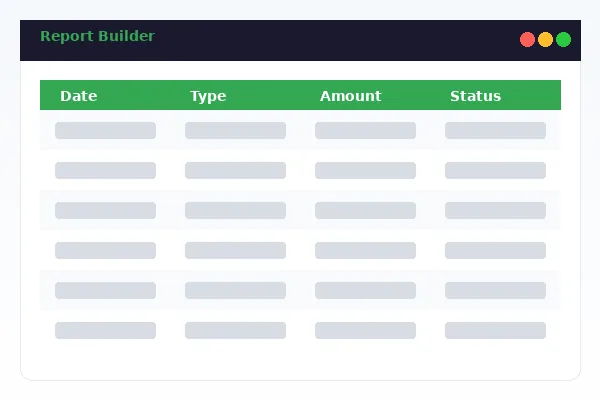
TD Business Central custom report builder interface showing drag-and-drop field selection and live report preview

Drag-and-Drop Report Construction

No coding. No formula syntax. Select fields, arrange them, apply filters and your report is ready to run.

The report builder interface splits into three panels. The left panel lists all 47 available data fields, grouped by category for quick scanning. The centre canvas is your report layout — drag fields here to add columns, reorder them by dragging left or right. The right panel handles filters, sorting rules and calculated columns.

Each field you add displays a live preview of sample data. This lets you verify formatting before running the full report. Date fields can be formatted as YYYY-MM-DD, DD/MM/YYYY or custom patterns. Currency fields support locale-specific formatting with thousands separators and decimal precision.

Grouping and subtotals are built in. Group transactions by payment type, then by beneficiary, and the report automatically inserts subtotal rows at each group break. Useful for AP summaries where you need vendor-level totals within each payment category.

Calculated Columns

Beyond raw data fields, you can add calculated columns that derive values dynamically. Running balance tracks cumulative amounts row by row. Period subtotals sum values within each group. Percentage of total shows each transaction's proportion of the full data set. Variance columns compare current values against a prior period you define.

Templates and Reusability

Save any report layout as a named template. Templates store the field selection, column order, filters, sort rules, groupings and calculated columns. When you run a saved template, the system applies the layout to the latest data — you get a fresh report without rebuilding anything.

TD Business Central supports unlimited saved templates per user. Organize them into folders: Monthly Close, Audit Requests, Board Reports, AP Reconciliation, Payroll Verification. Whatever taxonomy makes sense for your operation.

Template sharing is granular. Share with a specific user, a user group (defined in User Management) or the entire organization. Set permissions to view-only or edit. View-only users can run the report and export results but cannot change the template structure. Edit users can modify fields and filters. The original creator retains ownership and can revoke access at any time.

The CPA Canada guidance on internal financial reporting emphasizes consistency across reporting periods. Shared templates enforce that consistency by ensuring every department runs the same report structure with the same field definitions.

Available Data Fields by Report Category

The 47 data fields are organized into six categories. Not all fields apply to every transaction type — the builder automatically hides irrelevant fields based on your selected data source.

Category Fields Count Applicable To
Transaction Details Date, value date, settlement date, amount, currency, type, status, memo, reference 9 All transaction types
Counterparty Info Beneficiary name, institution, routing, SWIFT, address, country, account number 7 Wires, EFT, ACH, bill payments
Account Data Account number, account name, branch, opening balance, closing balance, available balance 6 All accounts
Authorization Initiator, approver, approval timestamp, IP address, device ID, MFA method, authorization level 7 All authorized transactions
Batch & Template Batch ID, file reference, template name, upload timestamp, record count, batch status, error count 7 EFT batches, payroll, bulk payments
FX & Cross-Border FX rate, source currency, target currency, FX margin, intermediary bank, destination country 6 International wires, FX conversions
Calculated Running balance, period subtotal, percentage of total, variance, custom formula 5 All (user-defined)

Scheduled Delivery and Organization-Wide Sharing

Automate report generation and put the right data in front of the right people without manual intervention.

Automated Scheduling

Any saved template can be scheduled for automatic generation and delivery. Choose daily, weekly (with specific day), monthly (with specific date) or a custom recurrence pattern. Set the generation time — 6:00 AM ET is the most common choice among TD Business Central clients.

Each schedule supports up to five recipient email addresses. The report arrives as an attachment in your chosen format: CSV, BAI2, PDF or QBO. The email body includes a summary with record count and date range so recipients can validate the report at a glance before opening the file.

Schedules survive template modifications. If you add a new column to the template, the next scheduled run includes that column automatically. No need to delete and recreate the schedule. As noted in OSFI operational risk guidance, automated processes reduce the likelihood of human error in recurring financial reporting tasks.

Sharing and Access Control

Template sharing works through the same role-based access framework that governs the rest of TD Business Central. The User Management module defines user groups, and you can share templates with any combination of individuals and groups.

Permission levels are straightforward. View-only means a user can run the report and export results. Edit means they can modify the template structure. Owner means they can share, schedule and delete. These permissions cascade through user groups — add a new team member to the Finance group and they immediately inherit access to all templates shared with that group.

Audit logging tracks every template run, export and modification. The compliance team can see who ran which report, when, and what data was included in the output. This traceability is essential for organizations preparing for SOC 2 attestation or responding to regulatory examinations.

Related Reporting Services

Custom reports integrate with the broader TD Business Central reporting ecosystem. Use these complementary tools for a complete data management workflow.

Transaction Reporting

Standard pre-built reports with real-time data and scheduled delivery. Transaction reporting covers common use cases out of the box, while custom reports handle the scenarios that require tailored field selection and calculated columns.

Data Export

Bulk data extraction in CSV, BAI2, PDF, QBO and MT940 formats. Data export is optimized for large-volume extractions feeding into ERP systems, while custom reports focus on formatted, human-readable output.

User Management

Define user roles and groups that control who can create, share and schedule custom reports. User management provides the permission framework that makes template sharing secure and auditable.

← Back to TD Business Central Home

Custom Reports: Frequently Asked Questions

Yes. Any saved report template can be shared with individual users, user groups or the entire organization. The template owner controls sharing permissions: view-only allows others to run the report without modifying the template, while edit access lets them adjust fields and filters. Shared templates appear in each recipient's Shared Reports folder. Administrators can also designate templates as organization-wide standards.

Open the saved report template, click Schedule, select the frequency (daily, weekly, monthly or custom), set the delivery time and add recipient email addresses. Choose your preferred export format for the attachment. The system generates the report at the scheduled time using the most current data and delivers it automatically. You can manage all active schedules from the Scheduled Reports dashboard.

The report builder offers 47 data fields organized into six categories: Transaction Details (date, amount, currency, type, status), Counterparty Information (beneficiary name, institution, routing number), Account Data (account number, account name, balance), Authorization (approver, approval timestamp, IP address), Batch and Template (batch ID, template name, file reference), and Calculated Fields (running balance, period totals, variance). Not all fields apply to every transaction type.

Custom reports export in CSV, BAI2, PDF and QBO formats. CSV is suited for spreadsheet analysis and ERP import. BAI2 follows the bank reconciliation standard compatible with Sage, Oracle and SAP. PDF produces formatted, print-ready reports with headers, footers and page numbering. QBO enables direct import into QuickBooks Online and Desktop editions.

Yes. The report builder supports calculated columns including running balance, period subtotals, percentage of total, variance from prior period and custom formulas using basic arithmetic operators. Calculated columns update dynamically when the report is regenerated with new data. They appear alongside standard data fields and are included in all export formats.