Contact Us

Payroll Services: Batch Processing, CPA-005 Uploads and Direct Deposit on TD Business Central

Payroll Processing Benchmarks

TD Business Central payroll handles up to 10,000 employee payments per batch. Upload CPA-005 files or use the built-in editor. Recurring schedules run weekly, bi-weekly, semi-monthly or monthly. Dual authorization is mandatory. The processing cutoff is 8:30 PM ET for next-business-day settlement. Tax remittance payments to CRA flow through the bill payments module. Over 12,000 Canadian businesses process payroll through this platform, moving more than $2.4 billion in employee payments monthly.

Payroll cannot be late. It cannot be wrong. TD Business Central payroll services give your team the tools to process employee payments accurately, on schedule and with full audit trail visibility — whether you run payroll for 15 people or 15,000.

Process Payroll Now Deposit Funds
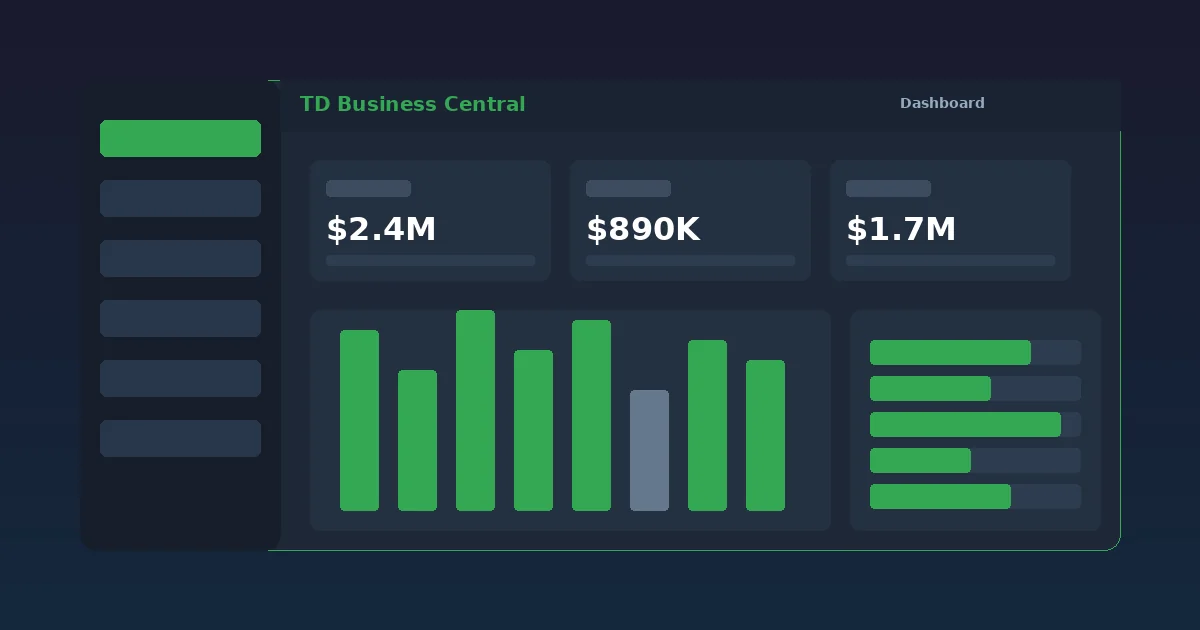
TD Business Central payroll processing interface showing batch upload status with employee payment details and dual authorization controls

CPA-005 File Upload and Batch Payroll Processing

Upload your payroll file and let TD Business Central handle validation, authorization and settlement.

CPA-005 File Standards

The CPA-005 format is the Canadian Payments Association standard for electronic funds transfer. Every major payroll software in Canada — Ceridian, ADP, Payworks, Wagepoint — exports in this format. TD Business Central validates the file structure on upload, checking record counts, hash totals, institution numbers and transit codes before a single dollar moves.

Validation catches errors before they become problems. A miskeyed transit number? Flagged immediately. A duplicate employee record? Highlighted for review. An amount that exceeds your configured per-transaction limit? Blocked pending approval. This pre-processing layer eliminates the most common payroll errors that cause returns and delays.

The Payments Canada rules govern the CPA-005 standard and set return timelines. TD Business Central's validation engine is updated in real-time as Payments Canada publishes rule amendments, ensuring your files always comply with current specifications.

Batch Processing Capacity

Each payroll batch supports up to 10,000 payment records. That covers the payroll needs of almost any Canadian employer. For organizations with more than 10,000 employees, submit multiple batches in sequence. There is no limit on the number of batches per pay period.

Processing speed matters on payday. A 5,000-record batch completes validation in under 30 seconds. Once dual authorization is confirmed, the batch enters the payment queue and settles on the scheduled date. The cutoff for next-business-day settlement is 8:30 PM ET. Batches submitted after the cutoff settle on the following business day.

Every batch generates a detailed confirmation report showing each employee payment, the funding account debit total, processing timestamp and settlement date. This report integrates directly with your general ledger for automated reconciliation.

How to Set Up Payroll on TD Business Central in 5 Steps

From first login to first payroll run, the setup process takes approximately 15 minutes.

Step 1: Access the Payroll Module

Log in to TD Business Central and navigate to Services, then Payroll Services from the main dashboard menu. The payroll module is available to all users with the Payroll Administrator or Payroll Submitter role assigned by your account administrator.

Step 2: Add Employee Banking Details

Enter each employee's institution number (3 digits), transit number (5 digits) and account number. Alternatively, upload a CPA-005 formatted file containing all employee records in bulk. The system validates every record against the Canadian financial institution directory.

Step 3: Configure Payment Amounts and Schedules

Set the net pay amount for each employee. Choose a payment schedule: one-time, weekly, bi-weekly, semi-monthly or monthly. Variable runs allow different amounts each cycle without modifying the base schedule. Set the funding account from which payroll debits will be drawn.

Step 4: Submit for Dual Authorization

Submit the payroll batch. A second authorized user must review and approve the batch before processing begins. The approver sees the total debit amount, employee count and funding account. This dual-authorization step is enforced for all payroll runs regardless of amount.

Step 5: Confirm Processing and Track Status

Once approved, TD Business Central processes the payroll. Funds are deposited into employee accounts on the scheduled date. Track the status of each individual payment — pending, processed, returned — in the Payroll History section. Set up alerts to receive confirmation when the batch completes.

Payroll Features by Service Package

TD Business Central payroll capabilities scale with your commercial banking package. Compare tiers below.

Feature Business Essentials Business Plus Enterprise
Max Employees per Batch 500 5,000 10,000
CPA-005 File Upload Yes Yes Yes
Manual Payroll Editor Yes Yes Yes
Recurring Schedules Monthly only Weekly, bi-weekly, monthly All frequencies
Variable Payroll Runs No Yes Yes
Dual Authorization Yes Yes Yes
CRA Tax Remittance Via bill payments Via bill payments Integrated scheduling
API Integration No Read-only Full read/write
Dedicated Payroll Support Standard queue Priority queue Named specialist

Tax Remittance and CRA Integration

Source deductions must reach CRA on time. TD Business Central streamlines the remittance workflow.

Every Canadian employer is required to remit CPP, EI and income tax deductions to the Canada Revenue Agency according to a prescribed schedule. Late remittances incur penalties ranging from 3% to 10% depending on the number of days overdue and the employer's compliance history.

TD Business Central lets you schedule CRA remittance payments through the bill payments module. Align remittance dates with your payroll calendar so deductions are forwarded on time, every time. Enterprise-tier clients benefit from integrated scheduling that automatically generates remittance payments based on payroll batch totals.

The platform maintains a complete audit trail of every remittance payment — amount, date, CRA reference number, confirmation receipt. This documentation simplifies year-end reconciliation and provides immediate evidence in the event of a CRA inquiry. Your accountant will appreciate the clean records.

For employers who remit on an accelerated schedule (threshold one or threshold two), precise timing is critical. TD Business Central supports scheduling remittances multiple times per month with configurable dates that match your accelerated remittance requirements.

Integration with your account summary ensures the funding account has sufficient funds before remittance payments are submitted. Set a balance alert on your payroll account to trigger 48 hours before each remittance date, giving your team time to fund the account if needed.

Related Business Banking Services

Complement your payroll processing with these TD Business Central tools.

Account Summary

Monitor your payroll funding account balance in real time. Ensure sufficient funds before every payroll run. View account summary.

Deposit Funds

Deposit receivables quickly to keep your payroll account funded. Remote capture and branch options available. Explore deposit methods.

Foreign Exchange

Pay employees in USD or other currencies with competitive FX rates locked at initiation. Access FX trading.

Frequently Asked Questions About Payroll Services

TD Business Central accepts CPA-005 and CPA-005A formatted files for payroll uploads. These are the standard Canadian Payments Association formats used by all major Canadian financial institutions. The platform validates file structure on upload and flags formatting errors before processing. You can also enter payroll data manually through the built-in payroll editor if you do not use file-based uploads.

Yes. TD Business Central supports recurring payroll schedules including weekly, bi-weekly, semi-monthly and monthly frequencies. Set up the schedule once and the system automatically generates payroll batches on the configured dates. Variable payroll runs allow you to modify individual employee amounts each cycle without changing the schedule.

If the payroll batch has not yet been approved by the second authorizer, you can recall it, make corrections and resubmit. If the batch has been approved but not yet processed (before the 8:30 PM ET cutoff), contact TD Business Central support at 1-866-222-3456 to request a cancellation. Once processed, corrections require a separate adjustment run or reversal transaction in the next pay cycle.

TD Business Central supports tax remittance payments to the Canada Revenue Agency through the bill payments module. You can schedule CRA remittances to align with your payroll calendar. The platform does not calculate tax amounts automatically — your payroll software or accountant determines the remittance amounts, and TD Business Central executes the payment with full audit trail documentation.

TD Business Central supports up to 10,000 employee payment records per payroll batch on the Enterprise tier, 5,000 on Business Plus and 500 on Business Essentials. For organizations exceeding their tier limit, multiple batches can be submitted in sequence. There is no limit on the number of batches you can process per pay period.

Simplify Your Payroll Operations

TD Business Central payroll services eliminate manual processing, reduce errors and ensure your employees are paid on time. Contact a commercial banking advisor to configure payroll for your business banking needs.

Get Started